
Air conditioners are greatly valued, especially in places with climates like Singapore. It’s crucial to make sure we’re making every effort to stay cool. However, many individuals don’t know all the icon of the remote for air conditioning. Some common functions you may find on aircon conditioning remote control:
- Power On/Off:
This button turns the air conditioner unit on and off.
- Mode Selection:
Allows you to select different operating modes such as Cool, Heat, Fan, Dry, or Auto.
- Temperature Control:
Adjusts the desired temperature setting of the air conditioner.
- Fan Speed Control:
Allows you to adjust the speed od the indoor fan (low, medium, high).
- Timer Settings:
Allows you sets a timer to turn the air conditioning on or off after certain periods of time.
- Swing Function:
Controls the horizontal or vertical swing of the air vents, distributing air more evenly.
- Sleep Mode:
Automatically adjusts the temperature settings during sleeping hours.
- Turbo or Quick Cool/ Heat:
Boosts the air conditioner’s cooling or heating capacity for faster temperature changes.
- Eco Mode:
Optimizes energy efficiency by adjusting the operation of the air conditioner.
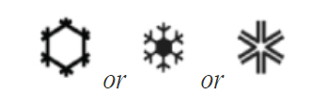 |  | 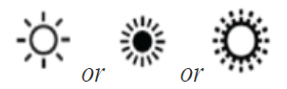 |
| Cool Mode | Heat Mode | Dry Mode |
| Used to cool the room and would typically be used during summer. | Used to heat the room usually during the cooler winter months. | Used to reduce the humidity in the room when the air is warm and very humid. |